
To unregister a Safari service worker:
- Open the browser settings (cmd ,)
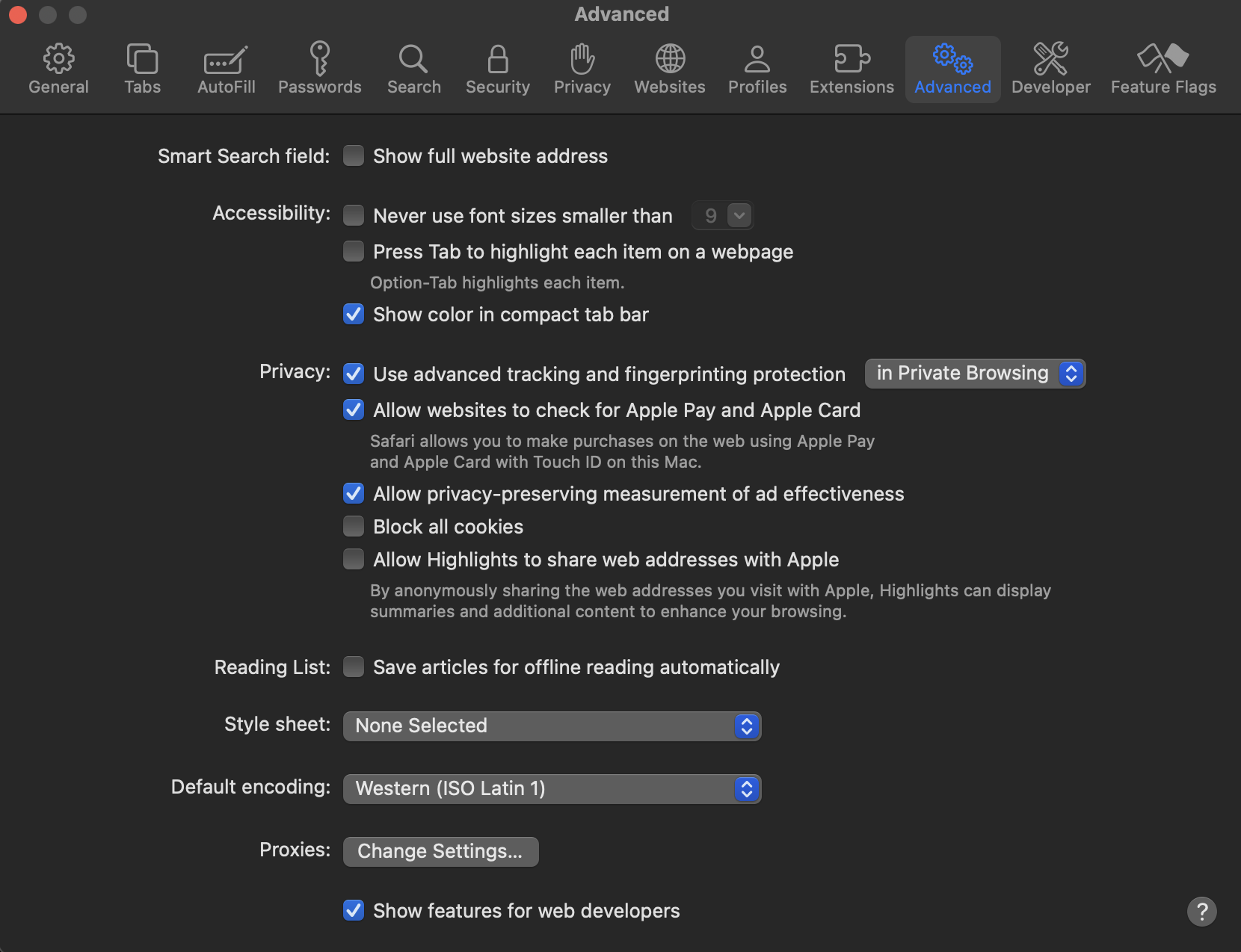
- Make sure the Show features for web developers is selected
- While Safari is active, select the Develop -> Service Workers -> <the altosignal service worker> menu item
- This opens a new window - select the console tab
- At the bottom of the window, paste this code snippet into the console and click return
code snippetnavigator.serviceWorker.getRegistrations()
.then(registrations => {
registrations.map(r => {
r.unregister()
})
}) - The service worker has been unregistered
- Close the browser, open the browser and navigate to altosignalapp.com
These steps should load the new version.